
Bill Pay and Reimbursements now sync from Ramp to Carta, completing the integration that launched with Ramp Card expenses last year. You get a single, real-time view of all management company spend.
Bills sync to your GL when approved in Ramp
As you create and approve bills in Ramp, Carta books the corresponding journal entries automatically. The Ramp invoice attaches as a supporting document, preserving your audit trail. Carta's Ramp-specific cash rec rules auto-reconcile the bank transaction when the invoice is paid, booking a journal entry to relieve the expense payable.

Reimbursements sync like Ramp Card transactions
Out-of-pocket expenses reimbursed through Ramp now sync to Carta just like Ramp Card transactions: Mark them “Ready to Sync” and Carta handles the rest. Carta books the reimbursable payable and auto-reconciles the corresponding bank transaction that reimbursed the employee.
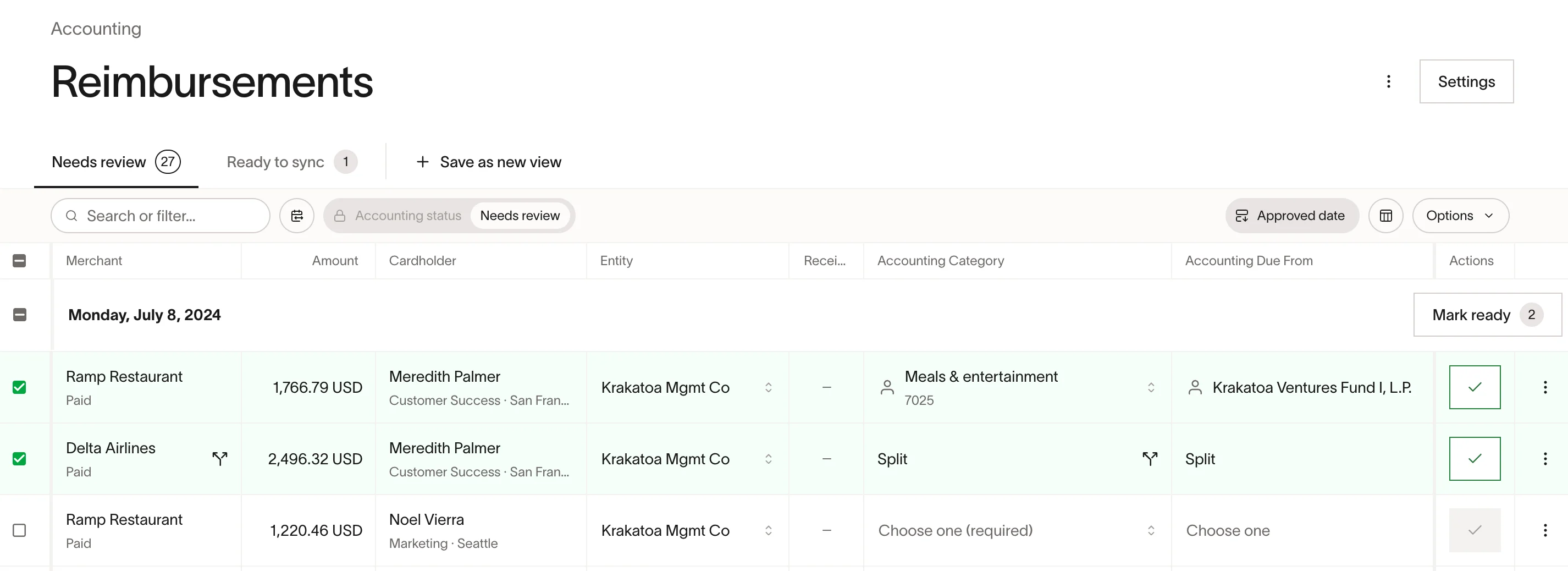
Enrich transaction detail with tags and allocations
Custom Reporting Tags and intercompany expense allocations are available across all three transaction types. Assign them in Ramp as you categorize transactions and they carry through to each entity’s GL automatically.

Start syncing all your Ramp transactions today
If you already have the Ramp integration enabled, no additional setup is needed.
To enable the integration, contact your Fund Admin team. More details are available in our Ramp integration guide.