
The Carta CRM Chrome extension automatically detects contacts and companies as you browse, surfacing rich CRM context and letting you take action without ever switching apps.
Stop toggling between tabs
Deal teams and investor relations professionals spend most of their workday in the browser—researching prospects on LinkedIn and analyzing company websites. Constantly switching back and forth between your browser and CRM to log contacts, pull deal context, or take notes breaks your focus and slows you down with manual data entry.
The Carta CRM Chrome extension brings your pipeline directly to your workspace, giving you instant access to existing CRM records and allowing you to capture new leads without leaving the page.
Get inline context as you research
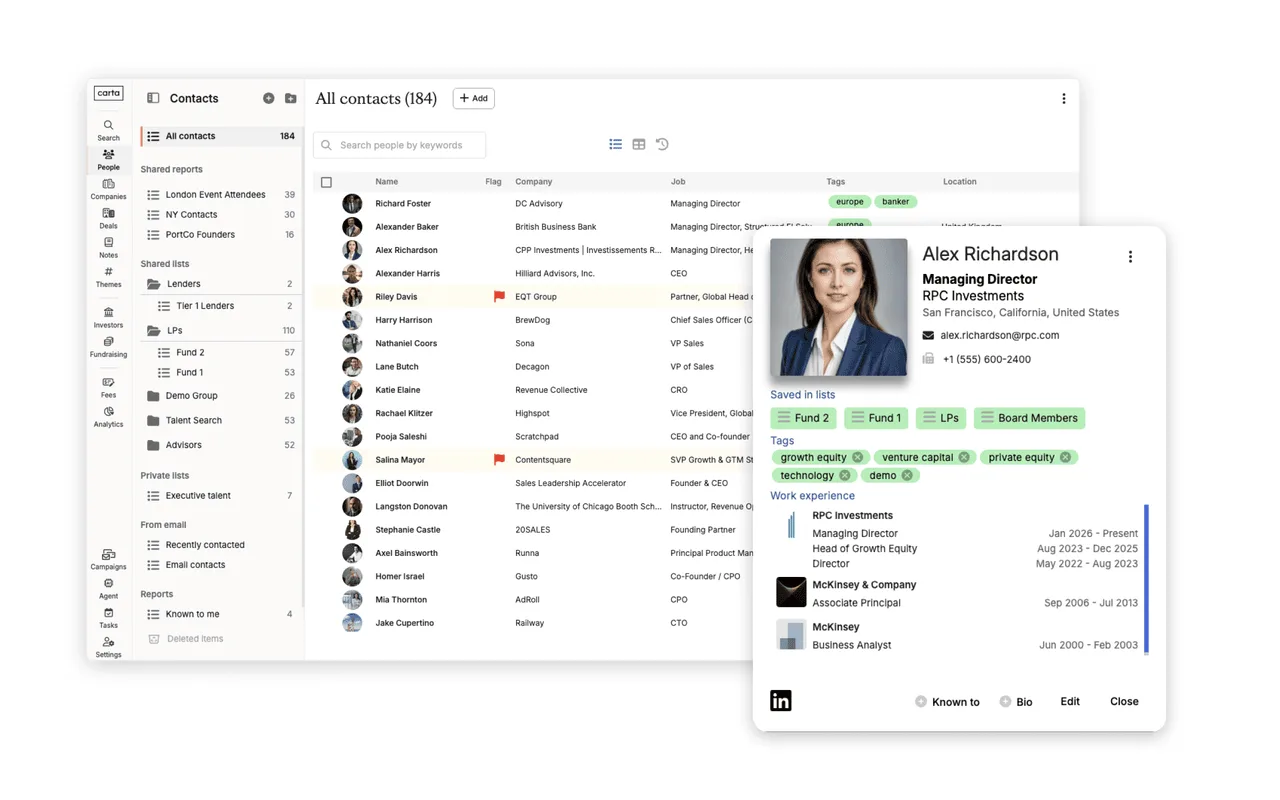
When you visit the LinkedIn profile of someone already in your database, the extension automatically displays their complete contact record in your browser panel. You can instantly review past notes, associated deals, and relevant tags. From there, you can add them to a targeted list or create and edit notes on the fly—keeping your entire team aligned on every contact you research.
While exploring any company website, the extension cross-references your CRM and surfaces matching records—including associated deals, notes, investors, and fundraising history.
Add new contacts in a single click
If a LinkedIn profile isn't in your CRM yet, you can add them as a new record with one click. Carta’s auto-enrichment technology immediately fills in missing details, ensuring you start with a complete profile rather than a blank form. Sourcing teams can log leads the moment they find them, without stopping to fill out manual contact fields.
If a company you’re researching isn’t in your CRM yet. From the same side panel, you can create new deals, add companies or investors, and tag notes directly. Any web page on the internet becomes an instant entry point into your CRM pipeline.